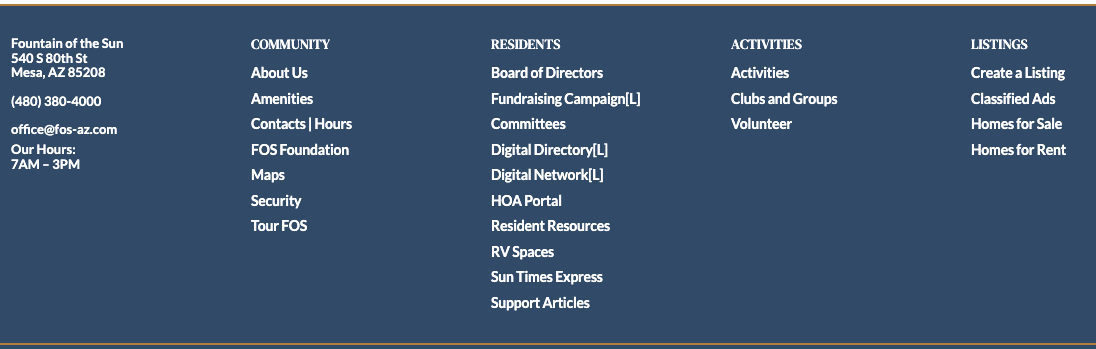
At the bottom of every page on our website, you will see a menu. This menu includes more links than the menu at the top of the website or on mobile devices.
This is done on purpose. Large menus at the top of a page or on mobile screens can be confusing and hard to use, especially on a mobile device.
Below is a simple breakdown of the website pages and how to find them.
[L] = You must be logged in to access the page You must be a current property owner to register for an account.
Pictured below, the footer Menu, located at the bottom of each web page.
Click to Enlarge Image
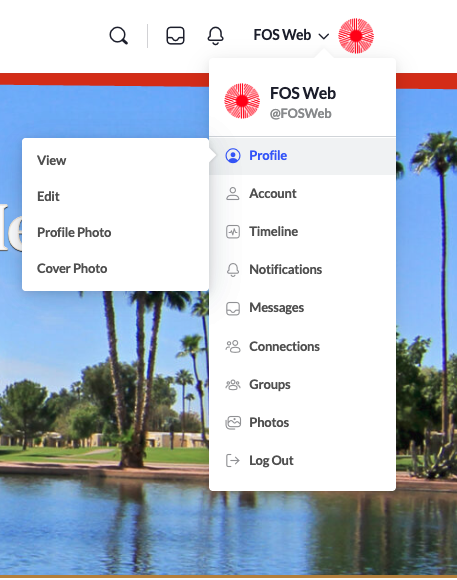
PROFILE MENU – Full menu available on desktop and laptop versions Limited Menu available on mobile and tablet.
You must be a current property owner to register for an account. You must register for an account to create a profile. You must be logged in to view the profile menu.
On desktop and laptop, the profile menu is accessible after you have logged in by clicking on your profile image in the top right corner of the screen. On mobile and tablet, the menu is accessible after you have logged in, and in the main mobile menu (three horizontal lines).
Profile
View
Edit
Profile Photo
Cover Photo
Account
Login Information ← Change your email or password
Notification Settings
Privacy
Blocked Members
Group Invites
Export Data
Timeline
Notifications
Unread
Read
Messages
Messages
New Messages
Site Notices
Connections
My Connections
No Pending Requests
Groups
My Groups (These are not the same a Activities based groups)
Please note:
This action will also remove this member from your connections and send a report to the site admin.
Please allow a few minutes for this process to complete.